ON THIS PAGE
By Efe Berke Colaker, Founder at GetleadReviewed by the Getlead editorial team for accuracy. Last updated August 2026.
Clay is priced unlike most sales tools, and the confusion is structural rather than accidental: you are buying a workflow engine that spends money on your behalf at other vendors.
That makes the sticker price the smallest part of the question. The real number is what a finished, enriched, verified record costs once every step in the table has run.
What the 2026 plans look like
Clay overhauled its self serve structure in March 2026, replacing three tiers with two and separating credits into two types.
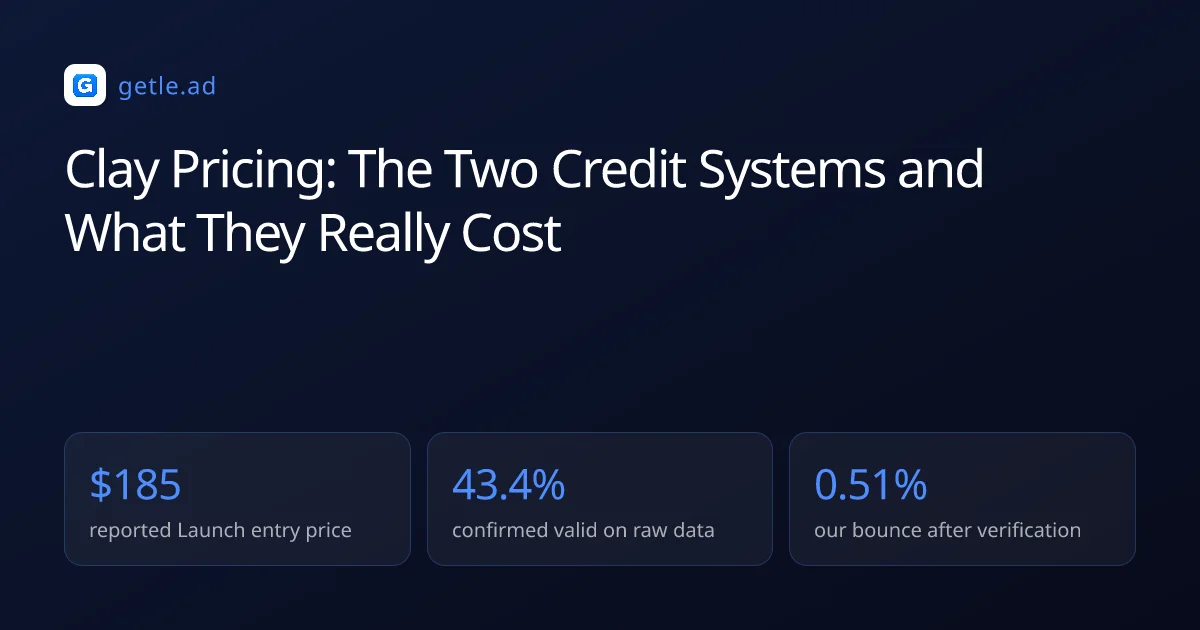
Published breakdowns put Launch at roughly $185 a month with about 2,500 data credits and 15,000 actions, and Growth near $495, both with a discount on annual billing.
Legacy Starter at $149, Explorer at $349 and Pro at $800 remain available to accounts that already had them, with the window to switch between those tiers closed in April 2026.
Data credits and actions are not interchangeable
A data credit pays for a lookup against a provider, while an action pays for a step your table executes. Running out of either stops the workflow.
For example, a 1,000 row table with six enrichment columns is 6,000 actions before a single email is found, and the rows that fail consume the same budget as the rows that succeed.
That asymmetry is the single most important thing to understand about the model. You are billed for attempts, and attempt volume is a property of your table design rather than your list size.
Working out cost per usable record
The only figure worth comparing across tools is what one contact costs by the time it is safe to email.
- Take the monthly plan price plus any credit top ups.
- Divide by the records that came out with a named contact and an address.
- Discard the records that failed verification, since they are not usable output.
- Add the cost of the verification step itself if it runs outside Clay.
- Compare that number against a flat rate database subscription.
The third step is where most calculations go wrong. In our verification of 383,368 raw B2B addresses only 43.4% came back confirmed valid, and an enriched address is subject to the same reality.
Who Clay actually suits
The fit test is whether your enrichment problem is unusual. Teams with a standard requirement, meaning a segment filter and verified addresses, are paying for flexibility they never use.
Keeping the invoice predictable
Spend control in Clay is a design discipline rather than a settings page, and four habits do most of the work.
- Filter before enriching. Every row you remove first is a row you never pay to process.
- Test on 25 rows. Table logic errors are cheap at 25 rows and expensive at 25,000.
- Order the waterfall by cost. Cheap sources first, premium sources only for what remains.
- Cap AI columns. Model calls per row are the fastest way to a surprising invoice.
The ordering point is the biggest lever. A waterfall that queries the most expensive provider first pays premium rates for records a free internal check would have resolved.
The alternative shape of this purchase
Clay competes with two different things at once, which is why comparisons feel slippery.
Against databases it competes on flexibility and loses on predictability. Against automation platforms it competes on data access and wins, because the provider integrations are the product.
If your requirement is a defined segment, verified addresses and a sending tool, a flat subscription answers it at a fixed price. If your requirement is arbitrary logic across many sources, that flexibility is what you are buying.
Sources and method
First-party data (Getlead, 2026): the verification split of 43.4% confirmed valid, 23.9% invalid, 16.7% catch-all and 16.0% unknown comes from 383,368 addresses analyzed through live SMTP verification, and the 0.51% bounce rate comes from 34,973 tracked sends, aggregated and anonymized at campaign level. Full method in our cold email benchmark study.
External sources: 2026 plan structure, the March 2026 restructure and the reported Launch and Growth entry prices come from independent Clay pricing breakdowns published in 2026.
Prices change without notice and published tiers are frequently renegotiated in practice, so treat every figure here as a starting point for your own quote rather than a fixed rate. Checked in August 2026.
Frequently asked questions
How much does Clay cost in 2026?
Published breakdowns put the Launch plan at roughly $185 a month with about 2,500 data credits and 15,000 actions, and Growth near $495 a month, both discounted on annual billing. Enterprise is custom and reported from around $30,000 a year.
What changed in Clay's pricing in 2026?
Clay restructured in March 2026, replacing three self serve tiers with Launch and Growth and splitting credits into data credits and actions. Legacy Starter, Explorer and Pro remain for existing accounts, with the switching window closed in April 2026.
What is the difference between data credits and actions?
A data credit pays for a lookup against a provider. An action pays for a step your table executes, including steps that fail. Running out of either stops the workflow, and a table with six columns spends six actions per row before finding anything.
Why is Clay hard to budget for?
Because you are billed for attempts rather than results, and attempt volume depends on table design rather than list size. A thousand row table with six enrichment columns costs the same in actions whether the enrichment succeeds or fails.
How do I calculate cost per usable record?
Divide the monthly plan plus any top ups by the records that emerged with a named contact and an address, then discard whatever failed verification. Only 43.4% of raw B2B addresses came back confirmed valid in our verification, and enriched data faces the same test.
Who should not use Clay?
Teams with a standard requirement. If you need a filtered segment and verified addresses, a flat subscription answers that at a predictable price, and the flexibility Clay charges for goes unused.