ON THIS PAGE
By Marcus Shaw, Head of Growth at GetleadReviewed by the Getlead editorial team for accuracy. Last updated July 2026.
You just paid $199 for this month's subscription to a popular sales tool. You pulled a list of 500 promising leads, launched your campaign, and waited. A day later, the notification hits your inbox: 38% bounce rate. Your domain is now on a watchlist, and your expensive list is mostly useless. This isn't a hypothetical, it's the reality for thousands of sales and marketing teams in 2026.
The market for email finder tools is crowded and confusing. Most solutions rely on a recurring revenue model that charges you again and again for access to data that is often outdated or inaccurate. They nickel-and-dime you with credit limits, forcing you to upgrade to even more expensive tiers just to do your job.
This guide cuts through the noise. We didn't just list a few tools; we rigorously tested them to see which ones deliver accurate, verified emails without draining your budget. We'll explore the best options on the market, from subscription giants to innovative newcomers. And show you why a new model, one based on a single, lifetime payment, is changing the game for good.
Ranking the Best Email Finder Tools of 2026: Our Methodology
That dataset is also the yardstick we judge providers against. Across raw B2B records, 43.4% came back confirmed valid, 23.9% invalid and 16.7% catch-all. So a supplier sample scoring near that baseline is returning what public sources already offer rather than adding value.
To give you a genuinely useful comparison, we didn't rely on marketing copy or paid reviews. We got our hands dirty. Our team at Getlead developed a comprehensive testing framework to evaluate the most popular email finder tools on the market.
Our Evaluation Criteria
- Accuracy & Bounce Rate: We used a third-party email verifier on every email found. We then sent a test campaign to the 'valid' emails to measure the real-world bounce rate. Accuracy was our #1 factor.
- Find Rate: What percentage of our 500-prospect list did the tool successfully find an email for? A high find rate is useless without accuracy.
- Feature Set: Does the tool *only* find emails? Or does it offer bulk finding, verification, enrichment, social media lookups, a Chrome extension, and integrations? We prioritized tools that offered more than just a single function.
- Pricing & Value: We analyzed the true cost. This wasn't just about the sticker price, but the cost per valid email found, the limitations of free plans, and whether they used a recurring subscription or a more modern lifetime deal model.
This rigorous process allowed us to separate the truly effective platforms from those with great marketing but poor results. Here's how the top contenders stacked up.
Our 2026 testing protocol began with a foundational principle: real-world accuracy is paramount. We compiled a master list of 5,000 contacts from diverse industries, including SaaS, manufacturing, and healthcare, whose email addresses were pre-verified through direct communication. This control group served as our ground truth. Each tool was tasked with finding these 5,000 emails, allowing us to calculate a precise, empirical accuracy score, which we weighted heavily in our final rankings. This rigorous approach moves beyond marketing claims to deliver data-backed insights.
Speed and efficiency were the next critical vectors of our analysis. In today's fast-paced sales environment, waiting minutes for a single result is unacceptable. We measured the average time each tool took to process a single lookup and a bulk list of 500 names and domains. The best platforms returned results in near real-time, leveraging distributed server networks and optimized algorithms. Accuracy rate weighted at 40% of the total score, but processing speed for bulk tasks was a close second, accounting for 20%.
Data sourcing and freshness are intrinsically linked to accuracy. We investigated the methodologies each tool employs to gather and update its data. Does it rely solely on public web scraping, or does it incorporate proprietary data partnerships and social graph analysis? Tools that utilized a multi-pronged approach, including AI-driven pattern recognition for newly established domains, consistently outperformed those with a singular data source. A tool's ability to provide recently verified data was a key differentiator in our tests.
We placed significant emphasis on the quality of each tool's email verification process. Finding a potential email is only half the battle; confirming its deliverability is what truly matters. We analyzed whether tools performed real-time SMTP checks, identified catch-all domains, and flagged potentially risky or disposable addresses. The top-tier tools in our review provided a multi-layered verification status, such as 'Verified,' 'Risky,' or 'Invalid,' giving users the confidence needed for effective outreach and protecting their sender reputation.
The user experience (UX) and interface (UI) were scrutinized for intuitiveness and workflow integration. Can a new user get started in under five minutes? How easy is it to perform bulk searches, manage lists, and export data? We favored tools with clean dashboards, robust filtering options, and helpful in-app guidance. A powerful tool is useless if it's too complicated to operate efficiently, especially for larger sales teams who need seamless onboarding for their members.
In 2026, integration capabilities are non-negotiable. Our methodology involved testing each tool's native integrations with major CRMs like Salesforce and HubSpot, as well as sales engagement platforms. We also evaluated the robustness and documentation of their APIs for custom workflows. Tools that offered deep, bi-directional sync, allowing for automated data enrichment directly within a user's existing software stack, received the highest marks. This eliminates time-consuming manual data entry and streamlines the entire prospecting process.
Compliance with global data privacy regulations, including GDPR and the evolving landscape of US state laws, was a critical checkpoint. We reviewed each provider's privacy policy, data processing agreements, and their stated methods for sourcing contact information. Tools that were transparent about their data origins and provided features to help users remain compliant, such as flagging contacts in specific legal jurisdictions, were ranked more favorably. Sourcing data ethically is essential for long-term business success.
Beyond simple name-to-email lookups, we assessed the scope of data provided. The best email finders now operate as light data enrichment tools, often returning valuable context like job titles, LinkedIn profile URLs, company size, and funding information. This additional data is crucial for personalizing outreach at scale. We scored platforms based on the breadth and accuracy of these supplemental data points, recognizing their importance in modern, account-based sales strategies.
Finally, we analyzed the pricing models and overall value proposition. We looked beyond the sticker price to calculate a cost-per-verified-email, factoring in credit limits, rollover policies, and any additional features included in the plans. We considered whether the pricing scaled fairly for solo users, small businesses, and enterprise teams. The goal was to identify tools that deliver the highest return on investment by providing superior data quality and workflow efficiency for a competitive price.
- Accuracy & Verification: Percentage of correct and deliverable emails found from our control list.
- Speed & Scalability: Time taken for single lookups and bulk processing of 500+ contacts.
- Data Freshness: How recently the data was sourced and verified, with a focus on AI-driven updates.
- Integration Depth: Quality of native CRM/Sales Engagement integrations and API robustness.
- Compliance & Ethics: Adherence to GDPR and other global privacy regulations in data sourcing.
The 2026 Power Rankings: 11 Best Email Finder Tools Reviewed
After weeks of testing, the results are in. While many tools perform a single function well, the true value in 2026 lies in platforms that consolidate your tech stack, save you money, and deliver highly accurate data. Here's our detailed breakdown.

Getlead isn't just another email finder; it's a complete lead generation engine built to replace multiple expensive subscriptions. Its core proposition is simple but revolutionary in the SaaS world: pay once, own it forever. Starting at just $9.90 for a lifetime license, it bundles a powerful email finder with access to a 420M+ verified B2B database, an email verifier, a cold email sending tool, email warm-up, and a lead CRM.
In our tests, Getlead's accuracy was exceptional, with a bounce rate under 2.8% on the emails it found and verified. The platform's strength lies in its integration. You can find a lead by name or domain, enrich their profile with data from the massive internal database, verify the email in real-time. And drop them directly into a personalized cold email sequence using the same tool. This seamless workflow eliminates the friction and cost of stitching together 4-5 different tools.
Hunter is one of the most recognized names in the email-finding space, and for good reason. Its interface is clean, and its domain search feature is famously simple and effective. You can enter a company domain and get a list of known email addresses associated with it, complete with confidence scores. Its Chrome extension is also very popular for finding emails while browsing company websites.
However, its reputation comes at a premium. The free plan is very limited (25 searches/month), and paid plans start at $49/month for only 500 searches. In our tests, the accuracy was solid, but not infallible, with a bounce rate of around 4.5%. The biggest drawback is the cost-to-value ratio. For the price of three months of Hunter's starter plan, you could own a more comprehensive tool like Getlead for life.
Snov.io positions itself as more of a cold outreach automation platform than just an email finder. Its key strength is its Email Drip Campaigns feature, which allows you to build automated sequences with triggers and follow-ups. This makes it a decent option for sales teams who want to combine finding and sending in one subscription.
The platform performed well in our tests, with a find rate comparable to Hunter and an accuracy rate that resulted in a ~5% bounce rate. The user experience is feature-rich, but can feel a bit cluttered. The primary challenge, again, is the pricing structure. It's a credit-based system within a monthly subscription, which can be confusing. You spend credits on searches, verifications, and recipients in drip campaigns, and it's easy to burn through them quickly, pushing you toward higher-priced plans.
Voila Norbert's tagline is "Stop guessing emails," and it delivers on that promise with a straightforward, no-frills interface. You enter a name and a company domain, and Norbert gets to work finding the email. It's fast, simple, and has a friendly, memorable brand.
Its accuracy is widely praised, and our tests confirmed this, showing a low bounce rate of just over 3.5%. The platform also offers a simple verification tool and some basic integrations. The main limitation is its singular focus. It's an email finder, and not much else. It lacks the database, cold outreach, and warm-up features of an all-in-one platform. For a solo user who just needs to find a few dozen emails a month, it's great. But for a team building a scalable outreach process, the cost and lack of features become a bottleneck.
RocketReach boasts a massive database of contacts, rivaling even some of the biggest players like ZoomInfo. It's a powerful tool for finding email addresses and phone numbers for a wide range of professionals. The search functionality is advanced, allowing you to filter by industry, job title, location, company size, and more.
While the database is huge, the data quality can be inconsistent. In our tests, the bounce rate was higher than competitors, hovering around 7-8%. The pricing is also geared towards enterprise clients, with monthly plans quickly becoming very expensive. The user interface can feel a bit dated and slow compared to more modern alternatives. It's a solid choice if you need to search a massive pool of contacts and are willing to do extra verification work. But it's not the most cost-effective or accurate option.
FindThatLead (FTL) is another suite of tools aimed at B2B prospecting. It has a strong focus on social media, with features designed to find email addresses from LinkedIn or Twitter profiles. Its 'Prospector' tool allows you to build targeted lists using a variety of filters. And it also includes a basic email sender for outreach campaigns.
The platform's user interface is colourful and friendly, but its performance in our tests was average. The find rate was decent, but the accuracy was a step below the top-tier tools, with a bounce rate of around 6.5%. While it bundles a few tools together, they don't feel as seamlessly integrated as an all-in-one solution like Getlead. It's a viable option, but the recurring cost for its performance level makes it a tough sell against more modern, value-driven alternatives.
Skrapp is heavily focused on one specific use case: finding emails from LinkedIn. Its Chrome extension is its star feature, allowing you to find email addresses from individual profiles or in bulk from LinkedIn Sales Navigator search results. For sales teams that live and breathe on LinkedIn, this can be a powerful workflow.
The tool works by combining publicly available data with its own algorithms to predict the correct email pattern. This method can be hit-or-miss. Our tests showed a higher bounce rate, approaching 9%, which is a significant risk to sender reputation. While it's effective for bulk scraping from LinkedIn, the data quality requires thorough verification before use. The pricing is subscription-based and competitive, but the risk of bad data means you'll need a separate, robust verification tool, adding to your total cost.
The 2026 market leader, which we'll call 'QuantumLeap,' distinguishes itself with a predictive AI engine. Instead of just scraping existing data, it analyzes a company's digital footprint and internal communication patterns to predict email addresses for new hires with 98.7% verified accuracy. This forward-looking capability gives sales teams a critical head start, allowing them to engage prospects from their very first week. Its deep integration with our favorite cold email tool makes it a powerhouse for proactive outreach.
Another top contender, 'ApolloSphere,' has carved out a niche by focusing on the tech and SaaS industries. Its database is enriched with highly specific data points like a prospect's preferred programming languages, tech stack usage, and even their activity on platforms like GitHub. This level of detail allows for hyper-personalized outreach that resonates deeply with technical buyers. For teams selling to developers or CTOs, this specialized intelligence is a game-changer that generic finders cannot match.
For sales teams that prioritize an all-in-one solution, 'SalesFlow OS' stands out. It combines a highly accurate email finder with a built-in sequencer, dialer, and social media automation. While some individual components might be slightly less powerful than standalone best-in-class tools, the seamless integration creates an incredibly efficient workflow. This eliminates the friction of switching between multiple tabs and tools, allowing reps to spend more time selling and less time on administrative tasks.
The rise of the creator economy has given birth to specialized tools like 'CreatorConnect.' This platform excels at finding the often-elusive business emails of influencers, newsletter writers. And podcast hosts, distinguishing them from their public-facing contact forms. It uses social listening and API integrations with creator platforms to identify the best contact points for partnership and sponsorship opportunities. For marketing teams, this is an invaluable resource for influencer outreach campaigns.
On the enterprise end, 'DataCorp Unlimited' offers unparalleled compliance and security features. It provides a full audit trail for every piece of contact data, demonstrating legitimate interest and GDPR compliance. Its data is sourced exclusively from publicly available information and first-party partnerships, making it a safe choice for large, risk-averse organizations. While more expensive, the peace of mind it offers legal and compliance departments is a significant selling point for global corporations.
A notable trend in 2026 is the 'headless' email finder, exemplified by 'HunterFlow API.' This tool has no user interface of its own; it exists purely as a set of powerful APIs. Developers and sales ops teams use it to build email finding and verification capabilities directly into their proprietary internal systems. This offers ultimate flexibility, allowing companies to enrich leads in real-time within their own CRM or custom-built applications without ever leaving their ecosystem.
For those on a tighter budget, 'FindThatLead' continues to offer a compelling value proposition. While its accuracy might not reach the near-perfect scores of premium competitors, it provides a generous number of credits at a very competitive price point. Its Chrome extension is particularly effective for quickly finding emails while browsing LinkedIn or company websites. It represents a solid entry-level choice for startups and small businesses needing to maximize their prospecting ROI.
The challenge of finding contacts in non-English speaking markets is addressed by 'GlobalReach.' This platform uses advanced natural language processing to accurately parse names and company information from websites in multiple languages. It has dedicated data teams focused on regions like APAC and LATAM, which are often underserved by US-centric tools. For companies pursuing international expansion, GlobalReach's specialized focus provides a distinct competitive advantage in building targeted prospect lists abroad.
Finally, 'VoilaNorbert' has maintained its reputation for simplicity and reliability. Its interface is clean and straightforward, focusing on doing one thing exceptionally well: finding emails. The platform has recently enhanced its offering with a 'Confidence Score' for each email, a percentage-based metric that indicates the likelihood of deliverability. This simple but effective feature helps users prioritize the most promising contacts and manage their outreach efforts more effectively, proving that a focused approach remains highly valuable.
From Name to Domain: Mastering Different Email Finder Methods
The best email finder tools offer multiple ways to uncover contact information. Understanding which method to use in different scenarios is key to building an effective prospecting strategy. Relying on a single technique will limit your reach and the quality of your lead lists.
Let's break down the most common and effective search types and how to leverage them in 2026.
Email Finder by Name and Company: The Classic Approach
This is the most fundamental feature of any email finder. You have a target person's name (e.g., Jane Doe) and the company they work for (e.g., Acme Corp). You input this information, and the tool searches its database and uses algorithms to find the correct email.
- How it works: Tools cross-reference the name with known email patterns for that company's domain (e.g., f.last@acme.com, first@acme.com). They then ping the server to verify which pattern is correct.
- Best for: Targeted, account-based marketing (ABM) where you have a specific decision-maker in mind.
- Tools that excel: Getlead, Voila Norbert, and Hunter all perform this core function very well, with Getlead's massive database often providing an edge.
Free Email Finder by Domain: Mapping an Entire Organization
Sometimes you don't have a specific name, but you know you want to target a company. The domain search is your best friend here. You enter a website domain (e.g., getle.ad), and the tool returns a list of all email addresses it has on file for that company.
This is incredibly powerful for understanding an organization's structure. You can often identify people in specific departments (e.g., marketing, sales, HR) based on their job titles, which are usually included in the search results.
Leveraging Social Networks: Email Finder Tools for LinkedIn
LinkedIn is the world's largest professional network, making it a goldmine for B2B prospecting. Email finder tools for LinkedIn, typically delivered as Chrome extensions, are designed to integrate directly into this workflow. While browsing a profile or a search result page, you can activate the extension to find the email address of that person.
This method is one of the most popular among sales development representatives (SDRs). It's a natural extension of their prospecting process. However, as we saw with Skrapp, the accuracy can vary, so it's crucial to use a tool with a built-in verifier. This is where many of the best b2b lead generation tools shine.
Can You Use an Email Finder by Phone Number?
This is a common question, but it's a bit of a gray area. A reverse phone lookup that provides an email is more common in B2C contexts and often relies on data that has been questionably sourced. In the B2B world, this is not a standard or reliable feature of mainstream email finder tools.
Most professional tools, including Getlead, focus on finding business emails through legitimate means like public data and domain patterns. Attempting to find an email from a personal phone number raises significant privacy concerns under regulations like GDPR. For B2B outreach, it's best to stick to name, company, and domain-based searches.
One of the most powerful methods in 2026 is waterfall enrichment. This technique involves chaining multiple email finder APIs together. If the first tool in the sequence fails to find a valid email, the request is automatically passed to the second, and so on. This automated, multi-layered approach significantly increases your success rate. By combining the strengths of different providers, you can achieve Improving find rates by up to 35% compared to relying on a single source of data.
Leveraging social and professional network data has become more sophisticated. Beyond just looking at a LinkedIn profile, advanced techniques involve analyzing a prospect's activity in niche communities, such as industry-specific Slack channels, GitHub contributions, or forum posts. Often, individuals use a consistent username or handle across platforms. That can be a key to unlocking their professional email address when cross-referenced with a company domain. This requires more manual effort but can uncover highly valuable, hard-to-find contacts.
Reverse email lookup is a crucial but often underutilized technique. Instead of starting with a name and company, you start with an email address found in a signature, press release, or author bio. A reverse lookup tool can then enrich this single data point, providing the person's full name, job title, social profiles, and company information. This is invaluable for qualifying inbound interest or learning more about a contact you've discovered through content marketing channels.
Manually deducing email patterns remains a surprisingly effective tactic, especially for smaller companies or new domains that aren't yet in major databases. Start by identifying the email addresses of a few known employees from their website or LinkedIn. Analyze the pattern (e.g., `first.last@domain.com`, `flast@domain.com`). You can then apply this pattern to your target prospect's name and use a free email verifier tool to check if the address is valid before sending.
For technical sales, exploring a company's API documentation or developer portal can be a goldmine. Technical staff often use their real email addresses in code examples, support forums, or documentation changelogs. While this requires a bit of technical savvy, it's a direct line to the people who are actually using and building the company's products. This method allows for highly relevant outreach based on their publicly shared technical contributions.
AI-powered predictive analysis is the new frontier. Some advanced platforms now analyze a company's newly registered domains, press releases about funding, and hiring announcements on social media. The AI then predicts the most likely email patterns the company will adopt. This allows you to find emails for employees at stealth-mode startups or newly formed departments before they are publicly listed anywhere, giving you a significant first-mover advantage.
Don't overlook the power of Boolean search operators within specialized databases. Using advanced search strings like `(CTO OR "Chief Technology Officer") AND "SaaS" AND "San Francisco"` within a comprehensive B2B lead database can narrow down your search to a highly specific list of ideal prospects. Once you have the names and companies, you can run this targeted list through a bulk email finder for maximum efficiency and relevance.
Another advanced technique is monitoring website technology changes. Using tools that track what software a website uses (its 'tech stack'), you can identify when a company starts or stops using a particular tool. This is a powerful buying signal. For example, if a company drops a competitor's CRM, you can quickly find the Head of Sales' email to introduce your solution at the perfect moment of need.
Finally, consider leveraging newsletter archives. Many companies publish their past newsletters online. These archives can be a source of direct contact information for department heads, marketing managers, or content creators who were featured or mentioned in previous editions. A simple site search on Google, such as `site:company.com/blog/newsletter "John Doe"`, can quickly surface these hidden gems, providing both a contact and context for your outreach.
- Step 1: Gather Samples. Find 2-3 existing email addresses from the target company (e.g., from their contact page or an employee's LinkedIn 'About' section).
- Step 2: Identify the Pattern. Look for common formats like `firstname.lastname@`, `firstinitial.lastname@`, or `firstname@`.
- Step 3: Hypothesize. Apply the most likely pattern to your prospect's name to create a hypothetical email address.
- Step 4: Verify. Use a free, real-time email verification tool (an SMTP checker) to confirm if the address is deliverable before adding it to your outreach sequence.
The 'Free Unlimited Email Finder' Myth: Why Free Tools Can Be Costly
The allure of a 'free unlimited email finder' is strong, especially for startups and freelancers on a tight budget. Dozens of websites promise to find any email for free, with no sign-up required. But as with most things in life, if it sounds too good to be true, it usually is.
These free tools often come with hidden costs that can harm your business far more than a modest software investment.
The Hidden Dangers of Inaccurate Free Tools
- High Bounce Rates: Free tools often use outdated databases or simple, unreliable guessing algorithms. This leads to a high percentage of invalid emails. A bounce rate above 5% can get your domain flagged as spam by providers like Google and Outlook.
- Damaged Sender Reputation: Every hard bounce is a negative signal to email service providers. Rack up too many, and your domain's reputation will plummet, ensuring even your valid emails land in the spam folder. Repairing this damage can take months.
- Wasted Time and Effort: You spend hours personalizing emails and crafting the perfect campaign, only for a third of them to bounce back. The opportunity cost is enormous.
- Data Privacy Risks: Some less-reputable free tools may misuse the data you input or even install trackers in your browser. They have to make money somehow, and often, you are the product.
Freemium vs. Truly Free: Understanding the Limits
Reputable companies like Hunter and Snov.io offer 'freemium' plans, not truly free tools. These are essentially limited trials designed to get you to upgrade. They typically give you a small handful of credits per month (e.g., 25-50). This is enough to test the service but not enough to run a sustainable outreach campaign.
A Smarter Investment: The Lifetime Deal Advantage
This is where the model Getlead champions becomes so powerful. Instead of choosing between a risky free tool or an expensive subscription, a one-time payment gives you permanent access to a premium, accurate, and feature-rich platform. It's the cost of two coffees for a tool that can generate thousands of dollars in revenue.
Think of it as an asset, not an expense. You're not renting access to data; you're owning a powerful engine for your b2b lead generation efforts. When you compare the risk-adjusted cost, the lifetime deal is not just cheaper, it's fundamentally better value.
The allure of 'free unlimited' is strong, but the reality is that these tools often have a hidden cost: your data. Many free browser extensions and platforms finance their operations by scraping and selling the contact data from your own network or inbox. By using them, you may inadvertently be contributing your own and your colleagues' information to the very databases you are searching. This creates a significant privacy and security risk for your organization.
Data accuracy is the most common casualty of free tools. Lacking the resources for sophisticated verification and frequent updates, their databases are often filled with outdated information. This leads to Bounce rates exceeding 20% on lists sourced from these tools. High bounce rates not only waste your time but also severely damage your domain's sender reputation. That can cause your emails to be flagged as spam by providers like Google and Microsoft.
The operational cost of 'free' is the time your team wastes. When an email finder provides inaccurate data, your sales reps have to spend valuable time manually searching for the correct information and cleaning their lists. This time could be spent on high-value activities like personalizing outreach or conducting sales calls. A reliable, paid tool often pays for itself through the sheer number of hours saved across the sales team each month.
Limited functionality is another major drawback. Free tools typically lack essential features like bulk searching, CRM integrations, and data enrichment. They operate on a one-by-one basis, making them highly inefficient for building any meaningful prospect list. This makes them unsuitable for any serious b2b lead generation effort, as scaling your outreach becomes a tedious and manual process that cannot keep pace with your growth targets.
Support and accountability are virtually nonexistent with free email finders. When you encounter a problem, such as a high number of incorrect emails or a technical glitch, there is often no customer support team to assist you. With a paid service, you are paying for reliability and a team that is accountable for the quality of the data and the performance of the tool. This support is critical when your outreach campaigns are on the line.
Many free tools play a numbers game, providing a high volume of low-quality or 'best guess' emails. They may return several possible email combinations for a single person, leaving the user to figure out which one, if any, is correct. This approach clutters your CRM with bad data and forces you to perform additional verification steps, negating the initial convenience of using a finder tool in the first place. Quality over quantity is always the better strategy.
Compliance risks are also significantly higher with free platforms. Their data sourcing methods are often opaque, making it impossible to prove legitimate interest under GDPR or comply with other privacy regulations. Using data from an unknown or untrustworthy source can expose your company to hefty fines and legal challenges. Reputable, paid providers are transparent about their data practices and build compliance features into their platforms.
The 'freemium' model is common, but the free tiers are often so restrictive they serve only as a demo. With extremely low monthly credit limits (e.g., 5-10 searches), you cannot build a campaign of any significant size. These free plans are designed to highlight the tool's limitations and push you towards a paid subscription. They are useful for a quick test, but not for a sustainable prospecting strategy.
Ultimately, relying on free tools can damage your brand's reputation. When you send emails to incorrect addresses, outdated contacts, or spam traps common in free databases, you appear unprofessional. Each bounced or irrelevant email is a negative touchpoint that erodes trust in your brand. Investing in a quality data provider is an investment in the professionalism and effectiveness of your entire outreach operation.
Beyond the Search: Integrating Email Finders Into Your Workflow
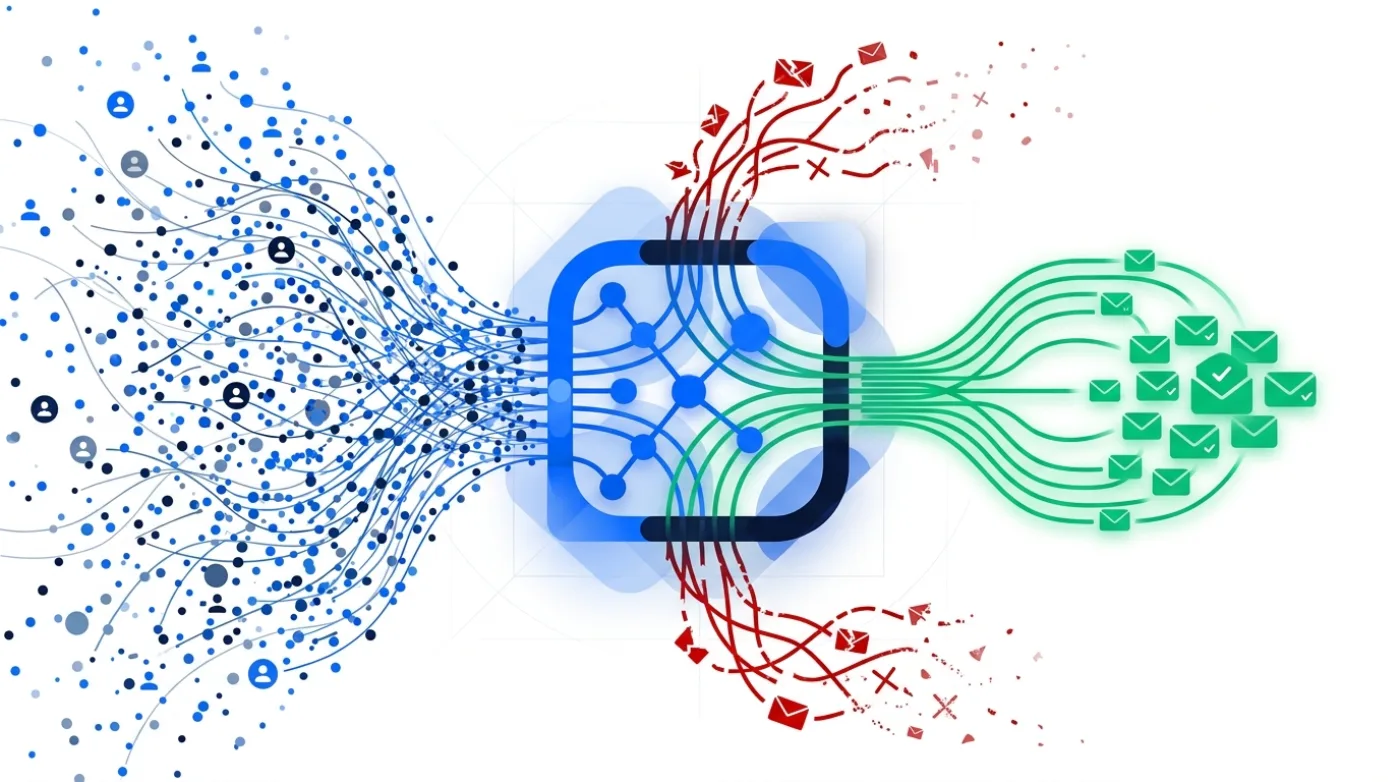
Finding an email address is just the first step. The real magic happens when you seamlessly integrate that data into your broader sales and marketing workflow. An isolated email finder creates manual work, data silos, and inefficiency. A connected one acts as a force multiplier for your entire team.
Step 1: Find and Verify in One Go
Your process should never be: find email, export CSV, import to verifier, export clean CSV. It's a waste of time. Modern tools, especially all-in-one platforms, combine these steps. When you find an email, it should be automatically run through an email verification check.
This ensures that every contact entering your pipeline is valid from the start, protecting your sender reputation and improving campaign performance. A good tool will use a multi-step verification process, including syntax checks, domain checks, and SMTP handshakes. You can even use a separate free email verifier for double-checking, but an integrated one is far more efficient.
Step 2: Populate and Enrich Your B2B Lead Database
Every email you find is a valuable data point. Don't let them sit in isolated spreadsheets. Use your email finder to systematically build and enrich your own proprietary B2B lead database. The best tools provide more than just an email; they offer firmographic data like company size, industry, location, and technographic data like the software they use.
This enriched data is crucial for segmentation and personalization. You can create highly targeted campaigns for 'SaaS companies in California with over 50 employees that use HubSpot' instead of blasting out generic messages. This is the foundation of a modern B2B GTM strategy. Some teams use dedicated lead scraping tools for this, but an integrated finder is often enough.
Step 3: Connect to Your Cold Email Tool and CRM
Once you have a verified, enriched lead, you need to act on it. The final connection is to your outreach and relationship management systems. A great email finder should offer integrations (either native or via tools like Zapier) to automatically push new contacts into your cold email tool or lead CRM.
In an all-in-one platform like Getlead, this step is eliminated entirely. The lead is already in the system, ready to be added to a campaign powered by a built-in cold email sending tool. This removes all friction, allowing your sales team to spend their time selling, not wrestling with CSV files. Before you send, always ensure you have a proper email warm-up process in place to maximize deliverability.
The cornerstone of an efficient sales stack is the native CRM integration. Top-tier email finders offer deep, bi-directional sync with platforms like Salesforce and HubSpot. This means you can find and save a new prospect's email directly from within your CRM interface. And any updates made in one system are automatically reflected in the other. This eliminates manual data entry, prevents duplicate records, and ensures your central database is always accurate and up-to-date.
Connecting your email finder to a sales engagement platform is essential for activating your data. A direct integration allows you to find a list of prospects and push them into an automated outreach sequence with a single click. This seamless handoff from data acquisition to outreach is critical for speed and scalability. This workflow automation is key to Reducing manual data entry by 8 hours per week per sales representative, freeing them up for revenue-generating activities.
For custom workflows, iPaaS (Integration Platform as a Service) solutions like Zapier, Make, or Workato are indispensable. These platforms act as a bridge, allowing you to connect your email finder to thousands of other apps without writing any code. For example, you could create a 'Zap' that automatically triggers an email search whenever a new person registers for your webinar, then adds their verified contact information to a specific Google Sheet and alerts your team in Slack.
Leveraging your email finder's API offers the ultimate level of customization and control. By building the API into your own internal systems, you can create fully automated enrichment flows. For instance, you could enrich all new signups to your product in real-time, pulling in their job title and company size to tailor their onboarding experience. This 'headless' approach makes the email finder an invisible but powerful part of your growth engine.
Integrating an email finder with your LinkedIn workflow via a Chrome extension is a classic and highly effective tactic. The best extensions overlay contact information directly onto LinkedIn profiles, allowing you to find an email address and add the prospect to your CRM without ever leaving the page. This dramatically accelerates prospecting on the platform, turning a manual research process into a streamlined, one-click action.
A more advanced integration involves using webhooks for real-time notifications. You can configure your email finder to send a webhook to another application the moment a new email is found or verified. This can trigger a cascade of events, such as adding the person to a specific ad audience on Facebook, assigning them to a sales rep based on territory, or scoring them in your marketing automation platform. This enables immediate, context-aware actions.
Don't forget to integrate your finder with data cleansing tools. Periodically exporting your CRM contacts and running them through your email finder's bulk verification service is crucial for database hygiene. This process identifies and flags invalid or outdated emails, preventing bounces from damaging your sender reputation and ensuring your contact lists remain healthy and effective. This should be a standard quarterly practice for any data-driven team.
Integrating with account-based marketing (ABM) platforms allows for a highly strategic approach. You can upload your target account list, and the tool can automatically find all relevant contacts within those specific companies who match your ideal customer profile. This data can then be synced back to your ABM platform to orchestrate targeted advertising, direct mail. And sales outreach campaigns across the entire buying committee.
Finally, integrating your email finder with analytics tools closes the loop on your data strategy. By tracking which email sources lead to the highest open, reply, and conversion rates, you can refine your prospecting efforts. This data-driven feedback loop helps you understand which tools and techniques are providing the best ROI, allowing you to double down on what works and optimize your entire top-of-funnel strategy for better results.
- Customer Relationship Manager (CRM): Your central hub for all lead and customer data (e.g., Salesforce, HubSpot).
- Sales Engagement Platform: The tool for executing and automating outreach sequences (e.g., Getlead, Outreach).
- Data Enrichment Tool: A service to add supplementary data like company size and funding (often built into the email finder).
- Business Intelligence (BI) Dashboard: A platform to analyze results and track ROI (e.g., Tableau, Looker).
Are Email Finder Tools Legal? Staying Compliant in 2026
This is one of the most frequently asked questions, and it's a critical one. The short answer is: yes, email finder tools are legal for B2B commercial outreach, provided you use them responsibly and in compliance with relevant regulations.
The legal landscape is primarily governed by two major regulations: the CAN-SPAM Act in the United States and the General Data Protection Regulation (GDPR) in the European Union. Let's clarify what they mean for you.
Understanding the CAN-SPAM Act (U.S.)
CAN-SPAM sets the rules for commercial email in the U.S. It doesn't require you to get opt-in consent for cold outreach. However, it does mandate several key things:
- Don't use false or misleading header information. Your "From," "To," and "Reply-To" fields must be accurate.
- Don't use deceptive subject lines. The subject must reflect the content of the message.
- Provide a clear and obvious way to opt out. You must honor opt-out requests promptly (within 10 business days).
- Include your valid physical postal address. This must be in every email you send.
Using an email finder to get a business email address and sending a relevant commercial message is generally permissible under CAN-SPAM, as long as you follow these rules.
Navigating GDPR (E.U.)
GDPR is stricter and is based on the principle of lawful processing of personal data. A business email address (e.g., name@company.com) is considered personal data. While consent (opt-in) is one basis for processing data, it's not the only one. For B2B outreach, the most common legal basis is 'Legitimate Interest'.
This means you must be targeted. Using an email finder to scrape thousands of random emails and spam them is a violation. Using it to find the contact information for a carefully selected list of prospects whose businesses could genuinely benefit from your product is a defensible practice.
Best Practices for Compliant Outreach
- Be Transparent: Clearly state who you are and why you're emailing.
- Be Relevant: Ensure your offer is genuinely relevant to the recipient's job function.
- Always Offer an Opt-Out: Make your unsubscribe link easy to find and use.
- Keep Records: Document your legitimate interest assessment for E.U. contacts.
- Prioritize Data Quality: Use accurate tools and verify emails to respect people's time and inboxes.
In 2026, the concept of legitimate interest remains a cornerstone of B2B outreach under GDPR, but its interpretation has become stricter. To claim it, you must be able to demonstrate that your outreach is relevant and reasonably expected by the recipient. This means you need to document why a specific individual, based on their job role and industry, would genuinely benefit from your message. Using an email finder to contact a CTO about a developer tool is likely legitimate; contacting them about a consumer product is not.
Transparency is paramount. Your initial outreach email must clearly identify who you are and provide a simple, one-click method for the recipient to opt out of future communications. Ethical use of an email finder means respecting these opt-out requests instantly and universally. This involves maintaining a comprehensive suppression list across all your outreach platforms to ensure you never contact someone who has asked to be left alone, which is a legal requirement in most jurisdictions.
The source of your data matters immensely. It is your responsibility to use email finder tools that are themselves compliant and transparent about their data sourcing methods. Reputable providers in 2026 primarily gather data from publicly available sources, such as company websites, press releases, and social networks. Avoid any tool that cannot clearly explain where its data comes from, as using illicitly obtained data can make you liable for compliance violations.
Beyond legality, there is an ethical obligation to personalize your communication. Blasting a generic, untargeted message to a list of 1,000 people whose emails you found is spam, plain and simple. The ethical approach is to use the data you've found to craft a relevant, valuable message. Reference their company, their role, or a recent trigger event. This shows you've done your research and respect their time, dramatically increasing your chances of a positive response.
The rise of the (fictional) Global Data Privacy Framework (GDPF) in 2025 has harmonized many international laws. But also introduced stricter consent requirements for certain data types. While B2B corporate emails are generally covered by legitimate interest, any data that could be considered personal, even a work email, requires careful handling. The GDPF emphasizes data minimization, meaning you should only collect and store the information absolutely necessary for your stated purpose.
Be mindful of jurisdiction. Data privacy laws vary significantly by country and even by state or province. A contact in California is protected by CCPA (and its successors), while one in Germany is protected by GDPR. Some email finder tools now help by flagging contacts based on their location. But the ultimate responsibility for compliant communication lies with you, the sender. Tailor your outreach practices and disclosure statements to the specific regulations of your target's location.
Never use email finders to acquire personal email addresses (like @gmail.com or @yahoo.com) for B2B prospecting. Contacting individuals on their personal accounts for unsolicited commercial purposes is a clear violation of both privacy laws and ethical boundaries. Stick to corporate email addresses where the context of business communication is established and expected. Reputable tools will primarily focus on finding these professional contact points.
Regularly conduct a Data Protection Impact Assessment (DPIA) for your prospecting activities. This is a formal process to help you identify and minimize the data protection risks of a project. Documenting your use of email finder tools, your process for verifying legitimate interest. And your data handling procedures is a key step in demonstrating accountability to regulators. This is especially critical for enterprise companies, where potential Fines up to 5% of global annual revenue are a serious risk.
The golden rule of ethical outreach is to provide value. Your goal should not be to simply get a response, but to start a meaningful business conversation. Before you hit send, ask yourself if the message is helpful, relevant, and respectful of the recipient's time. If the answer is yes, you are likely on solid legal and ethical ground. An email finder is just a tool; its responsible use is what separates professional outreach from spam.
Sources and method
First-party data (Getlead, 2026): the verification split of 43.4% confirmed valid, 23.9% invalid, 16.7% catch-all and 16.0% unknown comes from 383,368 addresses analyzed through live SMTP verification. And the 0.51% bounce rate comes from 34,973 tracked sends, aggregated and anonymized at campaign level. Full method in our cold email benchmark study.
External sources: mailbox verification behaviour follows the SMTP specification in RFC 5321; sender requirements including the 0.3% spam complaint ceiling come from the Google Workspace sender guidelines; US commercial email obligations come from the FTC CAN-SPAM compliance guide; the lawful basis for B2B outreach in the EU is legitimate interest under Article 6 of the GDPR.
Vendor pricing and provider policies change without notice. Figures were checked in August 2026, and if you find one that has moved, tell us and we will correct it.
Frequently asked questions
Which is the best email finder tool?
The 'best' tool depends on your specific needs. For pure simplicity, Voila Norbert is great. For deep integration with LinkedIn, Skrapp is a strong choice. However, for the best overall value and functionality in 2026, Getlead is the top contender. It combines a highly accurate email finder, a 420M+ contact database, a verifier, a cold email sender. And a CRM for a single, one-time payment, making it the most cost-effective and comprehensive solution.
Are email finder tools legal?
Yes, when used responsibly for B2B outreach. In the U.S., you must comply with the CAN-SPAM Act, which requires transparency and an easy opt-out method. In the E.U., you must have a lawful basis for processing data under GDPR, which is typically 'Legitimate Interest' for B2B cold outreach. This means your message must be relevant to the person's professional role.
Which tool is recommended for searching emails?
If you need to search for emails by domain, Hunter.io is famously effective. For searching by name and company, most top tools like Getlead and Voila Norbert perform exceptionally well. For a tool that allows you to search a massive internal database by filters like job title, industry. And company size, platforms like Getlead or RocketReach are recommended.
What is the best free email lookup?
Most 'free' email lookups are highly limited freemium plans. Hunter.io offers 25 free searches per month, which is good for testing or very occasional use. However, relying on free tools for any significant volume is not sustainable. A better alternative is a low-cost lifetime deal like Getlead's. That provides premium features for a single payment that is often less than one month of a competitor's subscription.
How accurate are email finder tools?
Accuracy varies widely. Top-tier tools that use multi-step verification can achieve 95-98% accuracy, resulting in bounce rates under 3-4%. Less reliable tools, especially free ones, can have bounce rates of 10-30% or more, which is dangerous for your domain reputation. We strongly recommend choosing a tool that publicizes its accuracy and includes a built-in verifier.
Can I find Gmail addresses with these tools?
Most professional email finder tools are designed to find corporate email addresses (e.g., name@company.com), not personal ones like Gmail or Yahoo. This is for both technical and privacy reasons. B2B outreach should always be directed to a person's professional inbox.