ON THIS PAGE
By Efe Berke Colaker, Founder at GetleadReviewed by the Getlead editorial team for accuracy. Last updated August 2026.
Bulk verification is the least interesting step in outbound and the one with the highest return. It costs a fraction of a cent per address, it takes minutes. And it decides whether the next campaign builds sender reputation or spends it.
The mechanics are simple enough that the useful part of a guide is the operational detail: what a file should look like going in, what the numbers mean coming out. And what to do with the two result states that are neither yes nor no.
What it costs in 2026
Pricing is per address and drops sharply with volume. The published ranges sit close together across the main vendors, which makes accuracy and result granularity the real differentiators rather than price.
At those rates a 50,000 record list costs somewhere between $150 and $500 to verify. Set that against the alternative: one campaign to an unverified file, a bounce rate over 20%. And weeks of reputation repair on the sending domain.
Published 2026 pricing from the major standalone verifiers lands in the same band, with entry tiers near a cent per address and high volume tiers around a third of that.
Standalone verifier or built into the stack
A standalone verifier is a separate subscription, a separate credit balance and a manual export and import around every campaign. It works, and the friction is exactly why the step gets skipped in busy weeks.
Verification at the point of export removes the decision. The list that leaves the database is already checked, which means the discipline holds on the weeks when nobody has time for discipline.
Preparing the file so the results mean something
Most wasted verification spend comes from checking the same address twice or checking records you were never going to mail. Five minutes of preparation removes both.
- Lowercase every address and trim whitespace, which is the most common source of accidental duplicates.
- Deduplicate on the address itself, then on the canonical company domain to spot the same person twice.
- Remove role-based prefixes such as info, sales, support and admin into a separate file rather than verifying them.
- Drop consumer domains if you are running B2B outreach, since they are out of scope regardless of validity.
- Split by segment before uploading, so results come back per segment rather than as one number.
The role-based step matters because those addresses verify perfectly and behave badly. Shared inboxes accept mail, so they arrive back marked valid and quietly inflate your quality figures while generating complaints instead of replies.
Splitting by segment is the step teams skip and regret. One aggregate score across four audiences hides which of them is the problem. And the whole point of the exercise is to know what to fix.
Deduplication is removing repeated records, first on the address itself and then on the canonical company domain.
Reading the results, including the two ambiguous ones
Every verifier returns some variation of four states. The labels differ, the meanings do not.
- Confirmed valid. The server accepted the recipient. Send normally.
- Invalid. The mailbox does not exist. Suppress permanently, never retry.
- Catch-all. The domain accepts everything, so nothing is confirmed. Separate segment, low volume, judged on replies.
- Unknown. Timeout, greylisting or a blocked probe. Re-check in a few days rather than deleting.
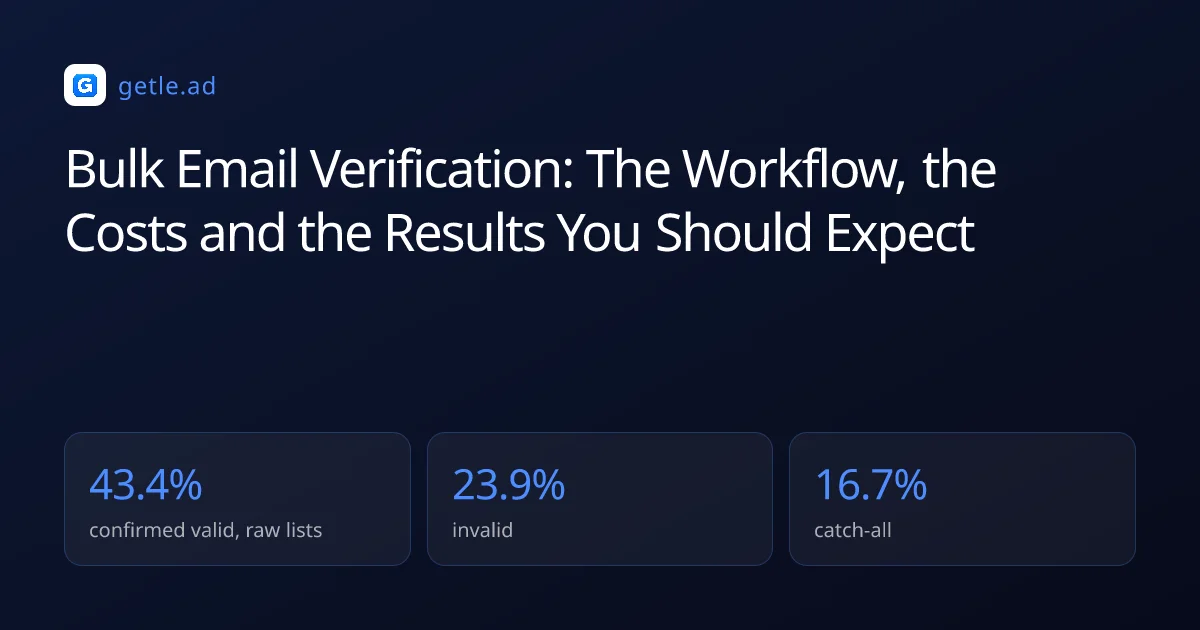
Our own distribution across 383,368 raw B2B addresses was 43.4% confirmed valid, 23.9% invalid, 16.7% catch-all and 16.0% unknown. That is the baseline to judge a supplier against: a file scoring far worse was assembled from public pages rather than sourced.
Do not merge catch-all into valid to make the number look better. Those addresses cannot bounce informatively, so mixing them in destroys your ability to read the bounce rate of everything else.
What the unknown bucket really is
Unknown is not a soft invalid. It usually means greylisting, a timeout, or a receiving server that refuses to distinguish real mailboxes from invalid ones as an anti harvesting measure. The address may be perfectly good.
Re-check the bucket a few days later from infrastructure with its own reputation, and a meaningful share resolves to confirmed valid. Deleting it outright throws away records you already paid to source.
Bulk verification is the same mailbox check applied to a whole file at once, returning a result state per address rather than a single quality score for the list.
For example, verifying 50,000 records at $0.006 an address costs $300 and typically removes about 12,000 invalid addresses. Sending to those 12,000 instead would push a campaign well past the 2% bounce ceiling on the first batch.
How often to run it
Verification is a snapshot, and the subject keeps moving. Contact data decays at roughly 2.1% a month, compounding to about 22.5% a year. So the question is never whether a list was verified but when.
- At acquisition, so you know what you actually received before it enters the database.
- Before every send, on the specific segment going out. This is the check that protects the domain.
- Quarterly across the full active database, which keeps the verified share above 90%.
- After any pause longer than a month, because the segment has decayed quietly while it sat.
Attaching the check to the send rather than to a calendar is what makes it happen. A quarterly reminder gets postponed, while a step in the campaign workflow does not, and verification at export removes the decision entirely.
Data decay is the steady rate at which contact records stop being reachable, roughly 2% a month in published research.
What a good outcome looks like afterwards
The verification report is not the result. The result is what the next campaign does, and three numbers tell you whether the exercise worked.
The bounce number is the honest scoreboard. Campaigns to SMTP verified lists in our data bounce at 0.51%, against a roughly 3% level where reputation starts to suffer. And that margin is the entire commercial argument for the spend.
If bounce rate stays high after verification, the usual causes are merging catch-all results into the send, sending to a segment verified months ago, or a file so poor that the survivors are not worth mailing. All three are visible in the per segment report you asked for during preparation.
Sources and method
First-party data (Getlead, 2026): the verification split of 43.4% confirmed valid, 23.9% invalid, 16.7% catch-all and 16.0% unknown comes from 383,368 addresses analyzed through live SMTP verification. And the 0.51% bounce rate comes from 34,973 tracked sends, aggregated and anonymized at campaign level. Full method in our cold email benchmark study.
External sources: published 2026 per address pricing for standalone verifiers (Puzzle Inbox pricing guides, 2026); contact decay of about 2.1% a month from the HubSpot database decay model built on MarketingSherpa research.
US commercial email obligations, including accurate headers, a physical postal address and a working opt-out honored within 10 business days, come from the FTC CAN-SPAM compliance guide.
Vendor pricing changes without notice. Figures were checked in August 2026.
Frequently asked questions
How much does bulk email verification cost?
Roughly $0.008 to $0.01 per address under 10,000, $0.004 to $0.008 in the mid volumes, and $0.003 to $0.004 above 100,000. A 50,000 record list therefore costs somewhere between $150 and $500. That is far less than the cost of one campaign to an unverified file.
What percentage of a list should come back valid?
About 43% on a raw B2B list, based on our verification of 383,368 addresses where 43.4% were confirmed valid, 23.9% invalid, 16.7% catch-all and 16.0% unknown. A file scoring far below that was likely assembled from public pages rather than sourced.
What should I do with catch-all results?
Keep them in a separate segment and send at low volume, judging them on replies rather than on verification status. Never merge them into the valid segment, because they cannot bounce informatively and mixing them destroys your ability to read the bounce rate.
How do I prepare a list for verification?
Lowercase and trim addresses, deduplicate on address and on canonical company domain, move role-based prefixes to a separate file, drop consumer domains for B2B outreach. And split by segment so results come back per segment rather than as one aggregate number.
How often should I re-verify?
At acquisition, before every send on the specific segment, quarterly across the full active database, and after any pause longer than a month. Contact data decays around 2.1% a month, so a check from three months ago is an estimate rather than a fact.
Does verification guarantee inbox placement?
No. Verification confirms the mailbox exists, while placement depends on authentication, sender reputation, list relevance and content. Our verified sends bounce at 0.51%, but a clean bounce rate says nothing about whether the delivered mail reached an inbox.