ON THIS PAGE
By Efe Berke Colaker, Founder at GetleadReviewed by the Getlead editorial team for accuracy. Last updated August 2026.
Deliverability problems rarely announce themselves. Delivery still reports as successful, the campaign completes. And the only visible symptom is that replies dried up two weeks ago and nobody connected the two facts.
An audit is how you find the cause without guessing. The order below matters as much as the content, because each layer depends on the one above it. And testing content before authentication wastes a day proving nothing.
Work top to bottom, write down every number, and stop at the first layer that fails. Fixing that layer often resolves everything below it.
Layer 1: authentication, checked on a real message
Do not check this in a settings screen. Send a message to a personal Gmail account, open the original headers, and read what the receiving server concluded.
- SPF result is pass, and the domain shown is your sending domain rather than the platform's.
- DKIM result is pass, with a signing domain that matches the From domain.
- DMARC result is pass, meaning at least one of the two aligned.
- Exactly one SPF record exists on the domain. Two is a permanent error.
- A DMARC record is published with a reporting address, not just a bare policy.
- An MX record exists so the sending domain can receive replies and bounces.
The MX check catches a surprising number of otherwise careful setups. A sending domain that cannot receive mail silently discards every reply, which looks exactly like a campaign nobody answered.
Authentication alignment is the requirement that the domain in the From header matches the domain that passed SPF or DKIM.
Layer 2: infrastructure and reputation
With authentication clean, the next question is what your domain and mailboxes look like from the outside.
Register for Postmaster Tools and SNDS if you have not already. They are free, they take minutes, and they hold the only view of complaint rate you will ever get, since that signal never leaves the mailbox provider.
Check link domains separately from sending domains. A tracking domain registered last month carries none of your reputation and is checked by different lists. That makes it a common cause of otherwise inexplicable placement problems.
Layer 3: the list, where the answer usually is
When the first two layers pass and placement is still poor, the list is the cause in the overwhelming majority of cases. Four checks settle it.
- Verification recency. When was this specific segment last verified? Anything older than a month is a guess, since contact data decays about 2% monthly.
- Bounce rate by segment. One segment usually carries nearly all of it, and averages hide which.
- Role-based share. Shared inboxes like info@ verify perfectly and generate complaints rather than replies.
- Catch-all share. Unconfirmable addresses should be a separate low volume segment rather than mixed into the main list.
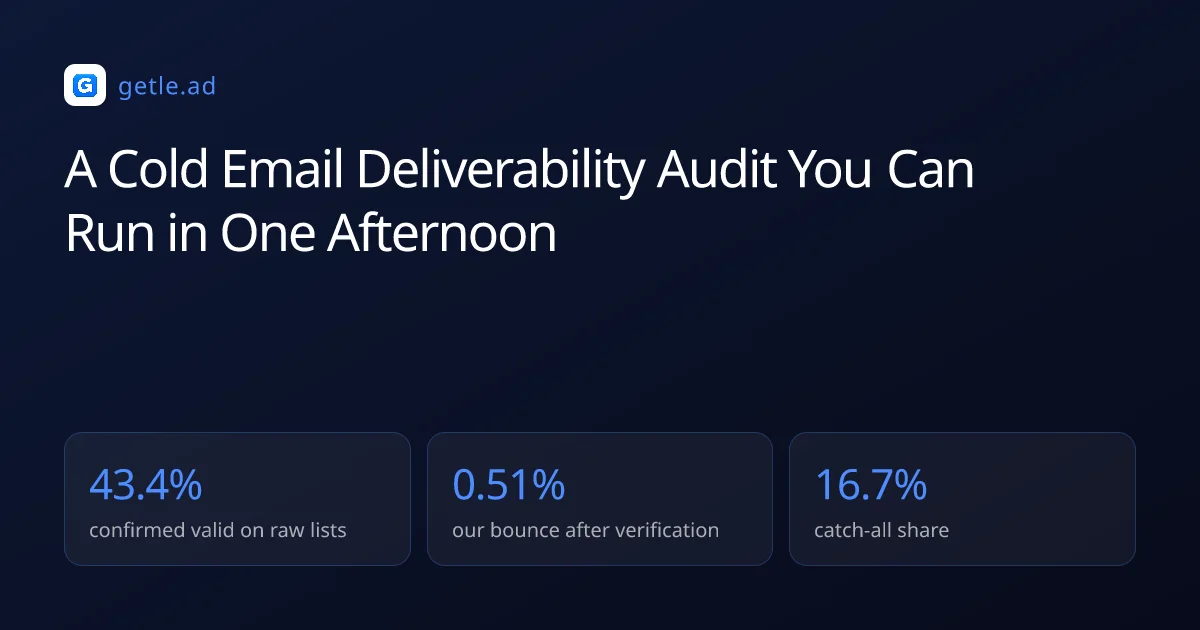
The baseline to compare against: across 383,368 raw B2B addresses we verified, 43.4% came back confirmed valid, 23.9% invalid and 16.7% catch-all. If a segment is meaningfully worse than that, it was assembled from public pages rather than sourced.
The fix is unglamorous and effective: re-verify, split out the catch-all and role-based records. And retire anything that has not been reachable in a year. Most placement problems resolve within two campaigns of doing this.
The uncomfortable finding
Most audits end here, and the conclusion is usually that a list somebody paid for is not usable. That is an expensive thing to admit, which is why teams keep testing subject lines instead.
The arithmetic is worth stating plainly. If 40% of a file is dead or unconfirmable, no sending configuration recovers the campaign. And every send against it costs reputation that the next campaign has to pay for. Rebuilding the segment is cheaper than three more months of declining placement.
A deliverability audit is an ordered inspection of authentication, infrastructure, list quality, sending behaviour and content, stopping at the first layer that fails.
For example, a campaign with clean SPF, DKIM and DMARC, a warmed domain and a 14% bounce rate has already told you the answer: the failure is at layer three. And rewriting the message would waste a week while the list keeps damaging the domain. Auditing a domain you warmed yourself and one that arrived pre-warmed is the same exercise, incidentally: ask for the warmup log either way.
Layer 4: sending behaviour
Behaviour checks are about whether your sending looks like a person or a system. They matter less than the list, but they are cheap to fix.
- Daily volume per mailbox is under 50 after warm-up, not concentrated in one account.
- Volume grows gradually rather than stepping from 20 to 400 between campaigns.
- Sends are spread across working hours in the recipient's timezone, with irregular intervals.
- Warm-up traffic is still running underneath live campaigns.
- Follow-ups come from the same mailbox as the first message for each prospect.
- Suppression is applied at send time and shared across every mailbox and campaign.
The fifth item catches rotation setups that rotate per message rather than per prospect. A sequence arriving from three different senders reads as a mistake to the recipient and increases the chance of a report.
Suppression is the list of addresses that must never receive another message, applied at send time across every mailbox and campaign.
Layer 5: content, last for a reason
By this point the wins are small, but they are quick and they are real.
- One link in a first touch, not five, and no shortened links.
- Plain text shaped message rather than a designed template with images.
- No attachments in a first message.
- A subject line that describes the message honestly, since misleading ones convert into complaints.
- One visible unsubscribe line plus the List-Unsubscribe header, which is what providers check.
The unsubscribe item belongs in a deliverability audit rather than a compliance one. A recipient who cannot find the exit uses the spam button instead, and that is the single most expensive click available to them.
Finish the audit by sending the real campaign to seed accounts at Gmail, Outlook and Yahoo, and looking at where it lands. That is the only test that measures the thing you actually care about. And every layer above it exists to make the answer inbox rather than spam.
How often to run it
Quarterly as routine, immediately after any incident, and before any significant increase in volume. Each run takes an afternoon once the accounts are already registered.
Write the numbers down every time, in the same place. Deliverability rarely fails in one dramatic step, it declines across three campaigns. And a record is what turns that into something you can see rather than something you infer afterwards.
Keep one extra habit alongside the audit: check reply rate per thousand delivered weekly. It is the earliest honest signal of a placement problem. Because opens are inflated by privacy features and bounces only measure whether the address exists.
What to record each time
Six numbers are enough: bounce rate, complaint rate, domain reputation, replies per thousand delivered, per mailbox daily volume. And the date the sent segment was last verified. One line per audit in one file.
The last column is the one that explains the others most often. A slowly rising bounce rate almost always tracks a slowly increasing gap between verification date and send date. And seeing them side by side turns a mystery into a scheduling fix.
Sources and method
First-party data (Getlead, 2026): the verification split of 43.4% confirmed valid, 23.9% invalid, 16.7% catch-all and 16.0% unknown comes from 383,368 addresses analyzed through live SMTP verification. And the 0.51% bounce rate comes from 34,973 tracked sends, aggregated and anonymized at campaign level. Full method in our cold email benchmark study.
External sources: the 0.3% spam complaint ceiling, the 0.1% recommended level, authentication requirements and reputation reporting come from the Google Workspace sender guidelines and Postmaster Tools, 2026; blocklist status can be checked through the Spamhaus lookup.
US commercial email obligations, including accurate headers, a physical postal address and a working opt-out honored within 10 business days, come from the FTC CAN-SPAM compliance guide.
Figures were checked in August 2026.
Frequently asked questions
How do I audit cold email deliverability?
Work in dependency order: authentication checked on a real message header, then infrastructure and reputation in Postmaster Tools and SNDS, then list quality, then sending behaviour, then content. Stop at the first layer that fails, because fixing it often resolves everything below.
What numbers should a deliverability audit compare against?
Bounce rate under 2% total and under 0.5% hard, complaint rate under 0.1% with 0.3% as the hard ceiling. And per mailbox volume under about 50 sends a day after warm-up. Verified lists in our data bounce at 0.51%.
Where do I see my complaint rate?
Google Postmaster Tools for Gmail traffic and Microsoft SNDS for Outlook traffic. Sending tools cannot measure complaints because the signal never leaves the mailbox provider. So both services need registering before you can audit this layer at all.
How often should I run a deliverability audit?
Quarterly as routine, immediately after any incident, and before any significant volume increase. Record the numbers each time, since deliverability usually declines across several campaigns rather than failing in one visible step.
Why check the list before the copy?
Because the list causes most placement problems and the copy causes few. Old lists produce bounces, spam traps and complaints, all of which filters weigh heavily. While content factors like link count matter only once the layers above are clean.
What is the single most useful test?
Sending the real campaign to seed accounts at Gmail, Outlook and Yahoo and looking at where it lands. Delivery reports only tell you a server accepted the message, not whether it reached an inbox. So seed testing measures the outcome that actually matters.